Test on your phone
See your app on a real phone while you build it. No app store, no install, no cable.
- Free
- Works on iPhone and Android
-
Open the phone preview
In your app press Export, then Scan to preview. A card called Preview from phone shows a code.
-
Scan it with your phone camera
Your app opens in the phone's browser. It updates as you build, so keep it open while you chat.
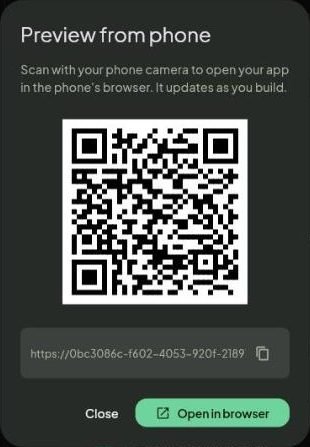
Point the camera at the code. No app to install. -
Check the small things
Tap every button, try it with one thumb, rotate the phone. Anything wrong? Take a screenshot on the phone and add it to the chat with +.
After you publish
- iPhone: open your link in Safari, tap Share, then Add to Home Screen. It opens like an app.
- Android: the same from Chrome, or install the real app with Download app on the Google Play page.
Screenshots taken from growapps.ai in October 2026. Something missing or out of date? Write to us from the contact page.